

Ask an AI about this page
 ChatGPT
 Claude
 Perplexity
 Google AI Mode
 Microsoft Copilot
 Grok
Grok Mistral Le Chat
Check your Direct Debit transactions
Direct Debit payments have their own list in the merchant dashboard. Use it to see the enrolments and every deduction processed for your account.
Open the Direct Debit transaction list
Section titled “Open the Direct Debit transaction list”Do this when you want to check one customer’s recurring payment, or review recent deductions.
-
Sign in to the merchant dashboard. See Sign in.
-
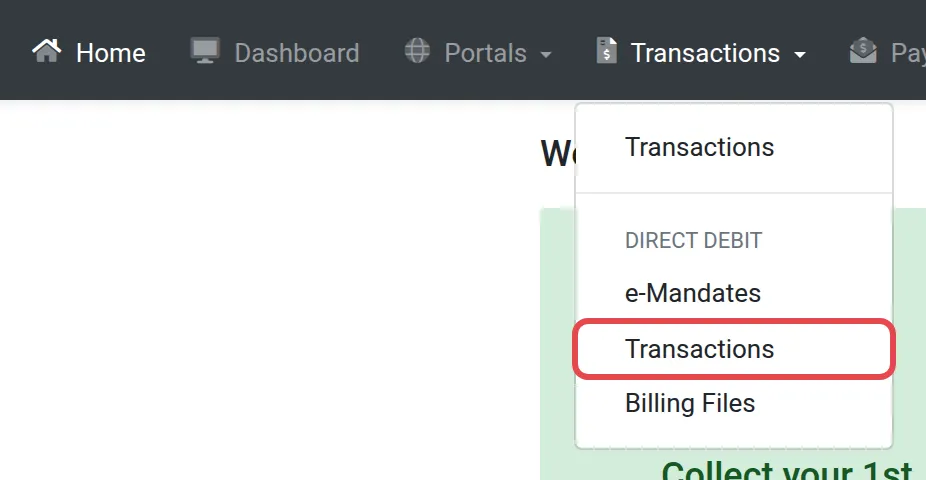
Select Transactions in the menu at the top left of the dashboard.
-
In the drop-down, under Direct Debit, select Transactions.
-
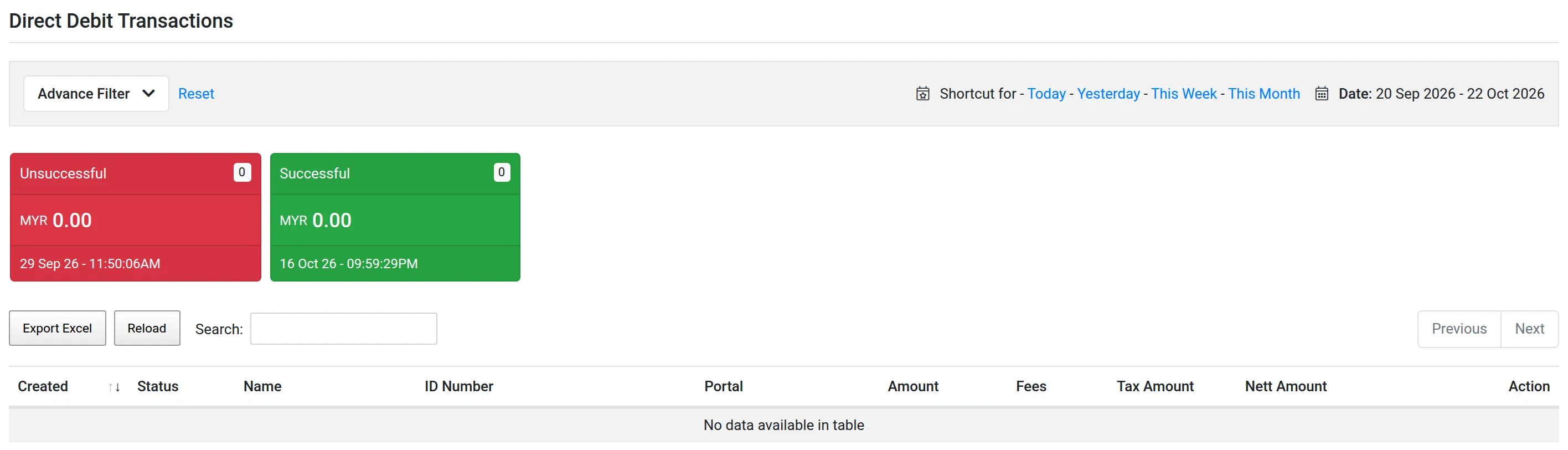
The page lists every Direct Debit transaction made through your account.
What the list contains
Section titled “What the list contains”The list holds two kinds of rows: the application to set up the Direct Debit (the enrolment) and each deduction that follows. Each row has a status.
| Status | What it means |
|---|---|
| New | Created, not started yet. |
| Pending | Waiting for the bank. |
| Unsuccessful | The bank did not approve or could not collect. |
| Successful | The bank approved or collected the money. |
| Cancelled | Stopped before it finished. |
| Abandoned | The customer left before completing it. |
To check the agreement itself (whether it is active or terminated), use the e-Mandate list.
For developers
Section titled “For developers”Developers can list and filter Direct Debit transactions through the API instead of the merchant dashboard. See Developers and the API reference.
Common issues
I cannot find a customer's monthly deduction. Where do I look?
Open Direct Debit Transaction, not the FPX list. Every Direct Debit enrolment and deduction is listed there.
A deduction shows as unsuccessful. Will Bayarcash try again?
A failed first monthly deduction gets one retry in the same month. See When Direct Debit deductions happen for the dates.
Can I get this list through the API?
Yes. The API returns Direct Debit transactions with filters such as status and order number. See the API reference and Developers.
Was this article helpful?
Thanks for your feedback.
Sorry this didn't help. WhatsApp us and we'll sort it out with you.