

View pageas Markdown ChatGPT
 Claude
 Perplexity
 Google AI Mode
 Microsoft Copilot
 Grok
Grok Mistral Le Chat
Ask an AI about this page
ChatGPTClaudePerplexityGoogle AI ModeMicrosoft CopilotGrokMistral Le ChatFind your Bayarcash invoices
The Invoices page lists the invoices for your package subscription. Use it for your accounts, or to check a due date.
Open your invoices
Section titled “Open your invoices”To see the list of invoices:
- Sign in to the merchant dashboard.
- In the top menu, choose Profile.
- Choose Billing. The Invoices page opens.
- To find one invoice, choose Advance Filter. Then set the Created Date Range or the Period.
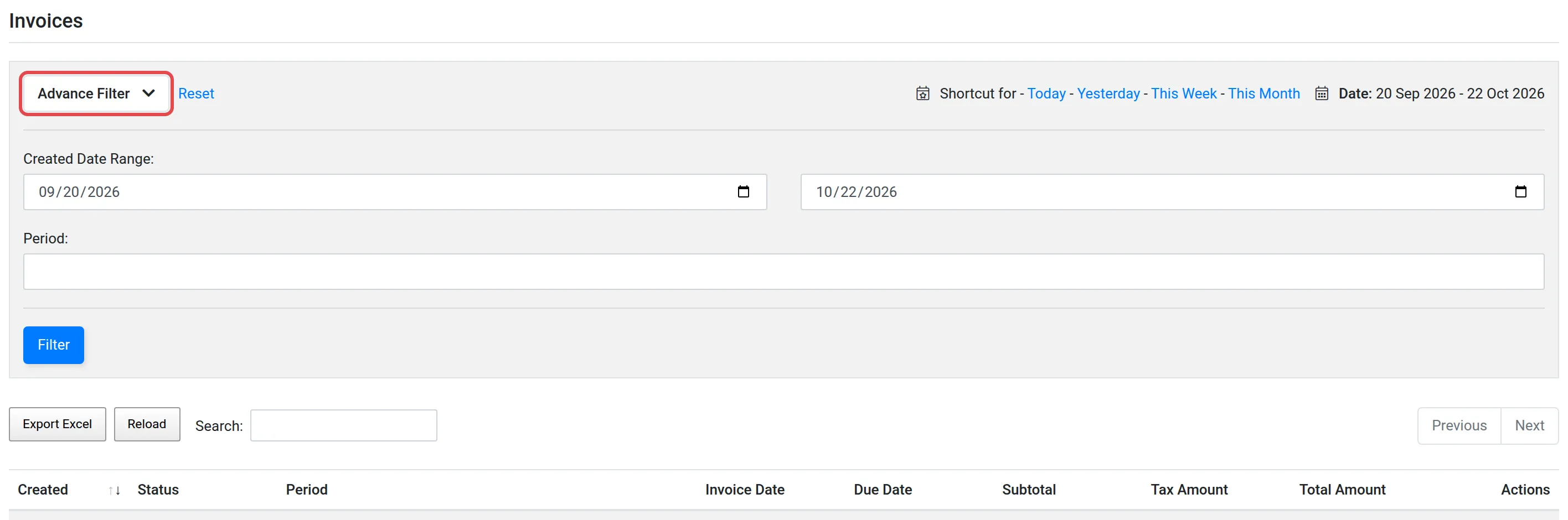
The list has these columns:
| Column | What it shows |
|---|---|
| Created | The date of the record |
| Status | The status of the invoice |
| Period | The period that the invoice is for |
| Invoice Date and Due Date | The date of the invoice, and the last day to pay it |
| Subtotal, Tax Amount and Total Amount | The amount before tax, the tax, and the amount to pay |
To keep a copy of the list, choose Export Excel. To get the newest data, choose Reload.
For your package and its period, see Check your package subscription.
Common issues
Where are my Bayarcash invoices?
In the top menu, choose Profile, then Billing. The Invoices page lists them.
Can I keep a copy of the invoice list?
Yes. On the Invoices page, choose Export Excel.
Was this article helpful?
Thanks for your feedback.
Sorry this didn't help. WhatsApp us and we'll sort it out with you.