

Ask an AI about this page
 ChatGPT
 Claude
 Perplexity
 Google AI Mode
 Microsoft Copilot
 Grok
Grok Mistral Le Chat
Check your package subscription
The Package Subscriptions page shows your current package and the old ones. The details of each one show the package period, the payout schedule and the fee details.
Open your subscriptions
Section titled “Open your subscriptions”To see your package:
- Sign in to the merchant dashboard.
- In the top menu, choose Profile.
- Choose Subscriptions. The Package Subscriptions page opens.
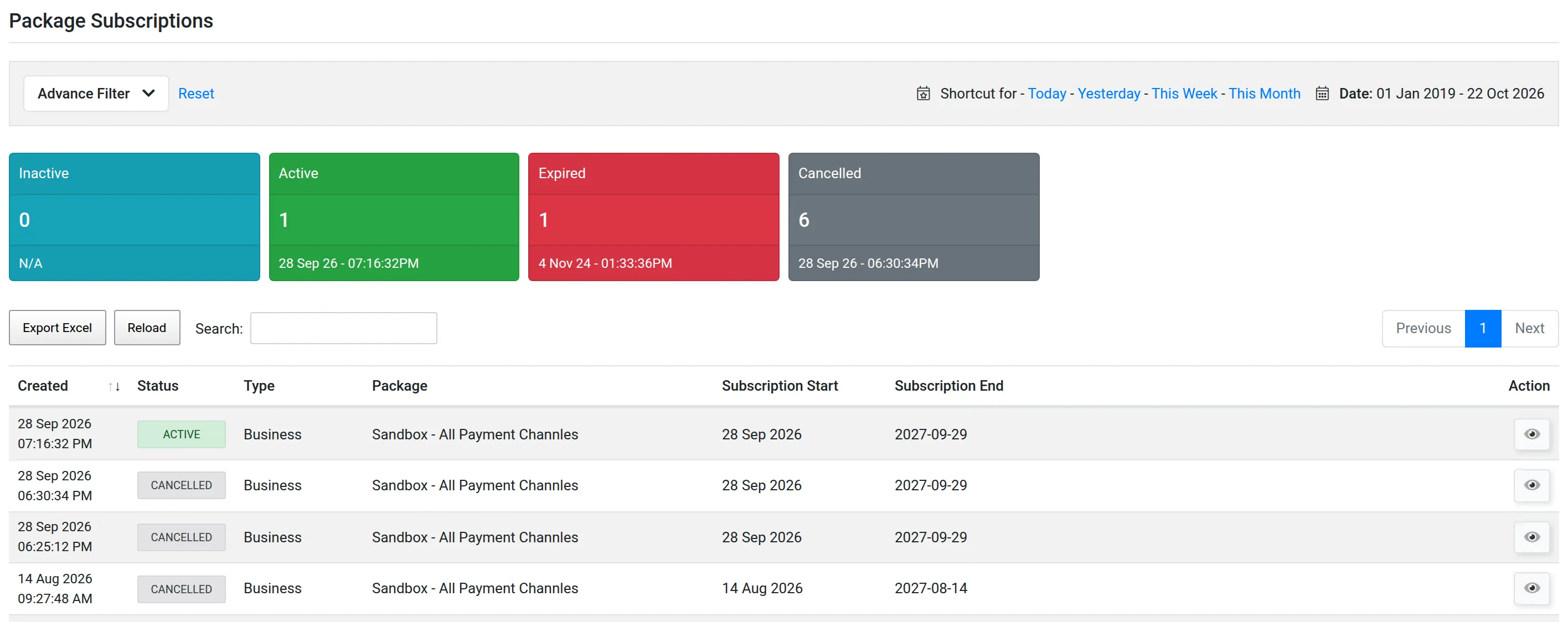
The boxes at the top count your subscriptions in each status: Inactive, Active, Expired and Cancelled. Your current package has the status Active.
The list shows the Type, the Package, the Subscription Start and the Subscription End of each one.
Read the details of a subscription
Section titled “Read the details of a subscription”Do this to find your payout schedule and your fees.
-
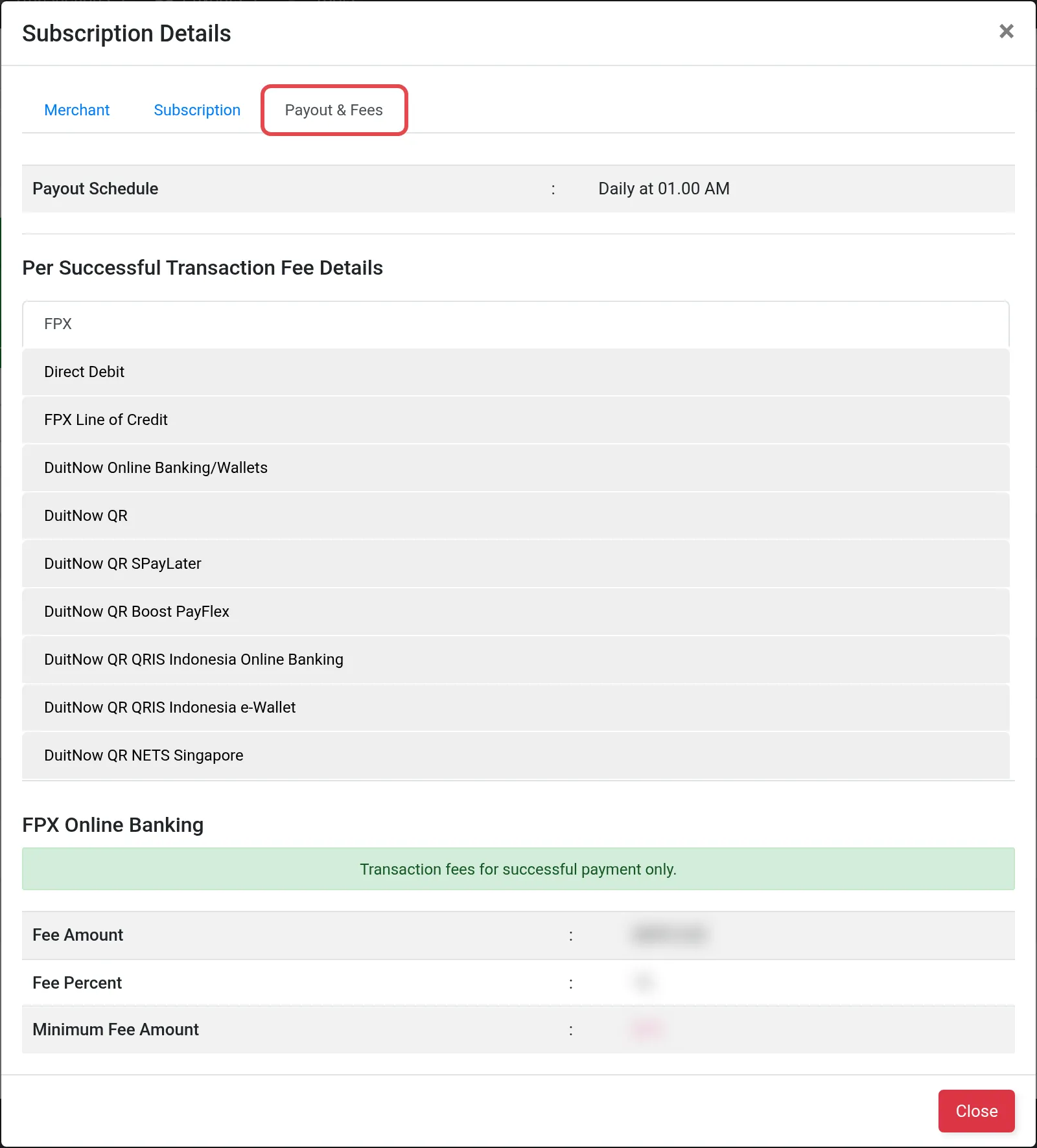
In the Action column, choose the icon View subscription details. The Subscription Details window opens.
-
Read the three tabs:
Tab What it shows Merchant Your business name and the bank account for your payouts Subscription The Package, the Subscription Period, the Subscription Start and the Subscription Expired dates Payout & Fees The Payout Schedule and the Per Successful Transaction Fee Details for each payment channel -
Choose Close.
Common issues
Where do I see my own payout schedule?
Open Profile → Subscriptions. Open the Active subscription and read Payout Schedule on the Payout & Fees tab.
Where do I see the fees for my account?
On the Payout & Fees tab of your Active subscription. The fees can be different for each merchant, so always read them there.
Was this article helpful?
Thanks for your feedback.
Sorry this didn't help. WhatsApp us and we'll sort it out with you.