

Ask an AI about this page
 ChatGPT
 Claude
 Perplexity
 Google AI Mode
 Microsoft Copilot
 Grok
Grok Mistral Le Chat
FPX Line of Credit (credit card account payments)
FPX Line of Credit lets a customer pay from a credit facility their own bank gives them, through FPX. It is also called a Credit Card Account (CCA). The customer stays inside their bank’s secure page, so they never enter a card number on your site.
How the customer pays
Section titled “How the customer pays”This is what your customer sees at checkout.
- They choose the FPX Line of Credit option (some shops label it Credit Card).
- They choose their bank and the account type, CASA or CCA.
- They sign in to their bank and approve the payment.
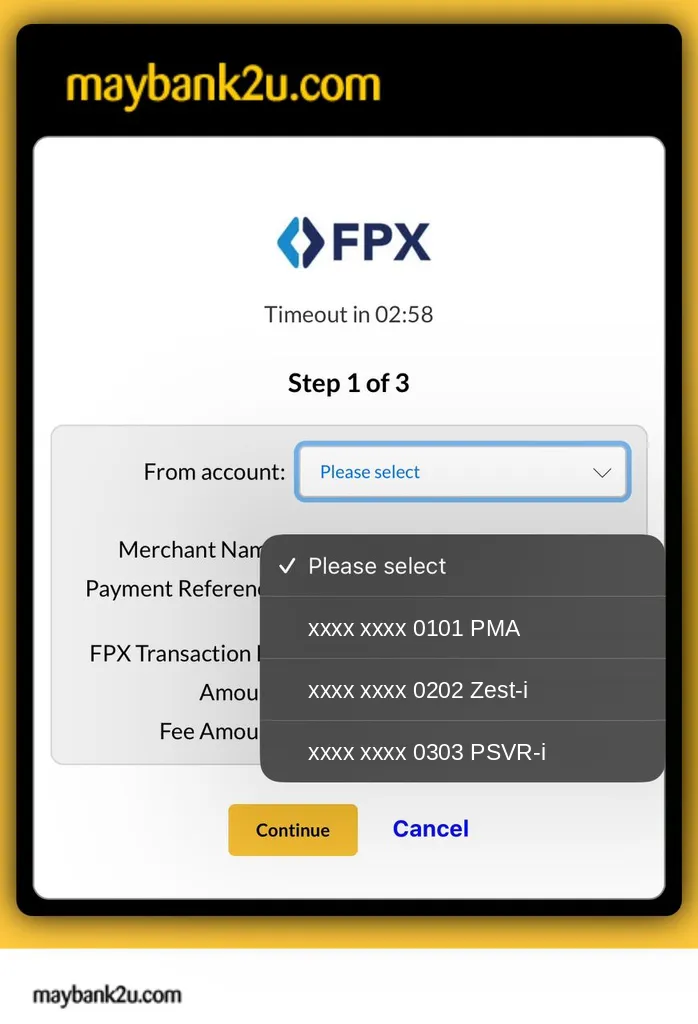
At their bank, the customer chooses where the money comes from. With a current or savings account (CASA), the list shows only their bank accounts:
With FPX Line of Credit (CCA), the same list also shows their credit cards:
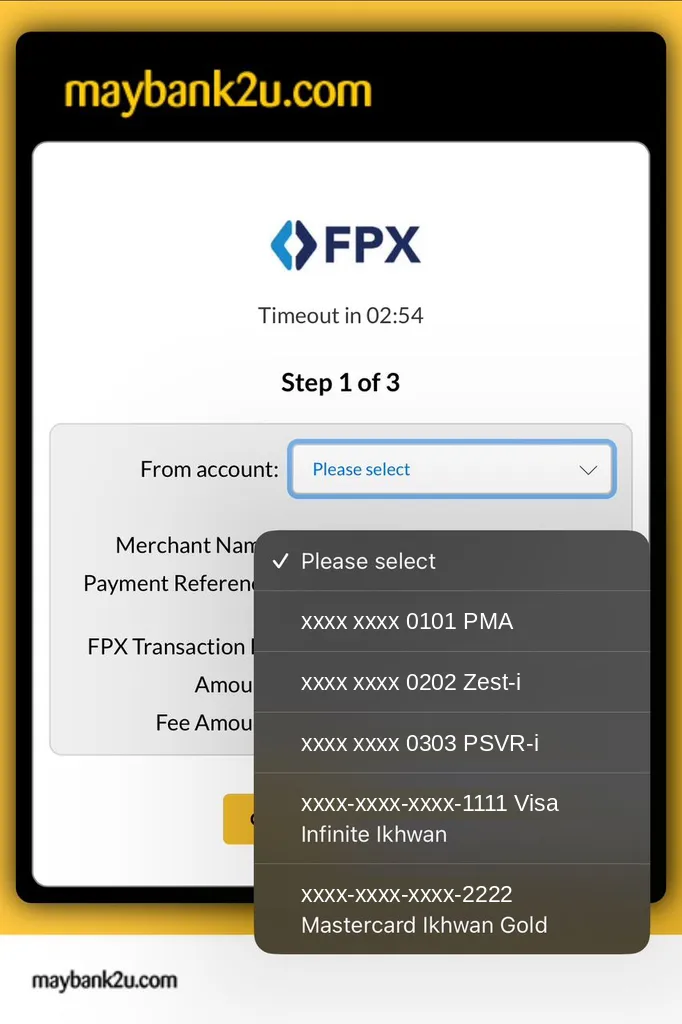
The money is charged to their credit account. Their bank sends them a monthly statement, and the bank decides the credit limit and any charges. Your payment still goes through Bayarcash as normal.
Set it up
Section titled “Set it up”You need the channel switched on for your portal.
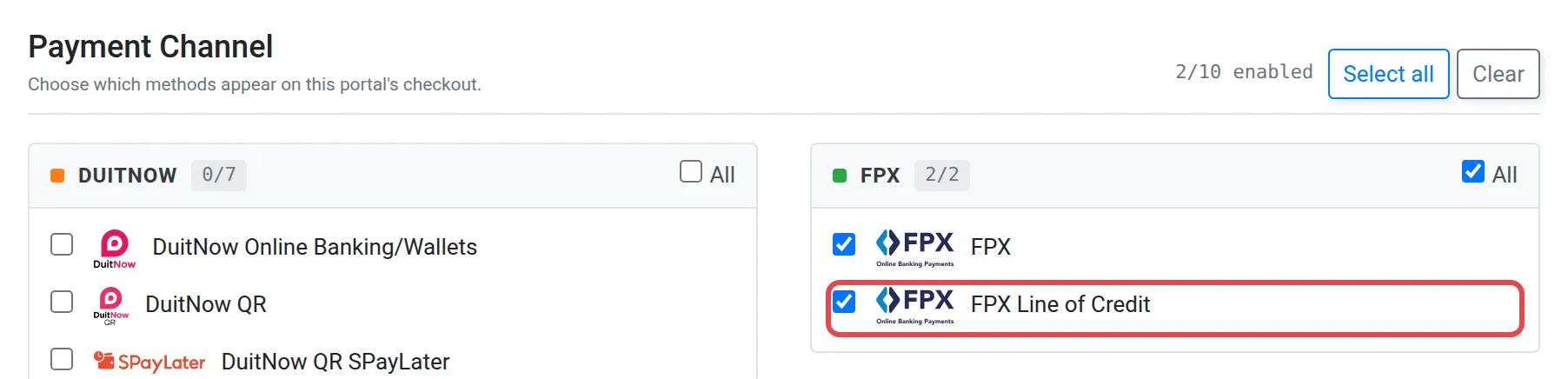
- Ask the Bayarcash team to switch on FPX Line of Credit for your portal, or tick it when you create a portal with Add New Portal under Portals.
- Show the channel in your shop or form. In the WooCommerce plugin it is the Bayarcash Credit Card Account method. Developers use
payment_channel4 in the API.
Good to know
Section titled “Good to know”- Malaysian banks only. Customers can choose only local banks.
- Failures come from the bank. If a payment fails, see Why did my payment fail?.
- Payments appear in Transactions. See Transactions.
Common issues
Is FPX Line of Credit the same as accepting credit cards?
Not exactly. The customer pays from their bank credit facility through FPX, so they never type a card number. The Credit Card channel is a separate channel. See Payment channels.
Can overseas customers pay with FPX Line of Credit?
No. It supports Malaysian banks only.
The option is missing at checkout. What should I do?
Check that FPX Line of Credit is switched on for the portal you use. If not, ask the Bayarcash team, then try again.
Was this article helpful?
Thanks for your feedback.
Sorry this didn't help. WhatsApp us and we'll sort it out with you.