

Ask an AI about this page
 ChatGPT
 Claude
 Perplexity
 Google AI Mode
 Microsoft Copilot
 Grok
Grok Mistral Le Chat
Payment channels you can accept with Bayarcash
Bayarcash lets your customers pay by online banking, QR, e-wallet, card and buy now pay later, from one account. This page lists each channel and how it is switched on.
How channels are switched on
Section titled “How channels are switched on”A channel works only when it is switched on for the portal that takes the payment. FPX online banking is on by default. Every other channel needs to be enabled for the portal first.
To turn channels on:
- Sign in to the merchant dashboard.
- Open Portals. Tick the channels you want when you create a portal with Add New Portal.
- If a channel is not in the list, or you need it on an existing portal, ask the Bayarcash team to switch it on for that portal.
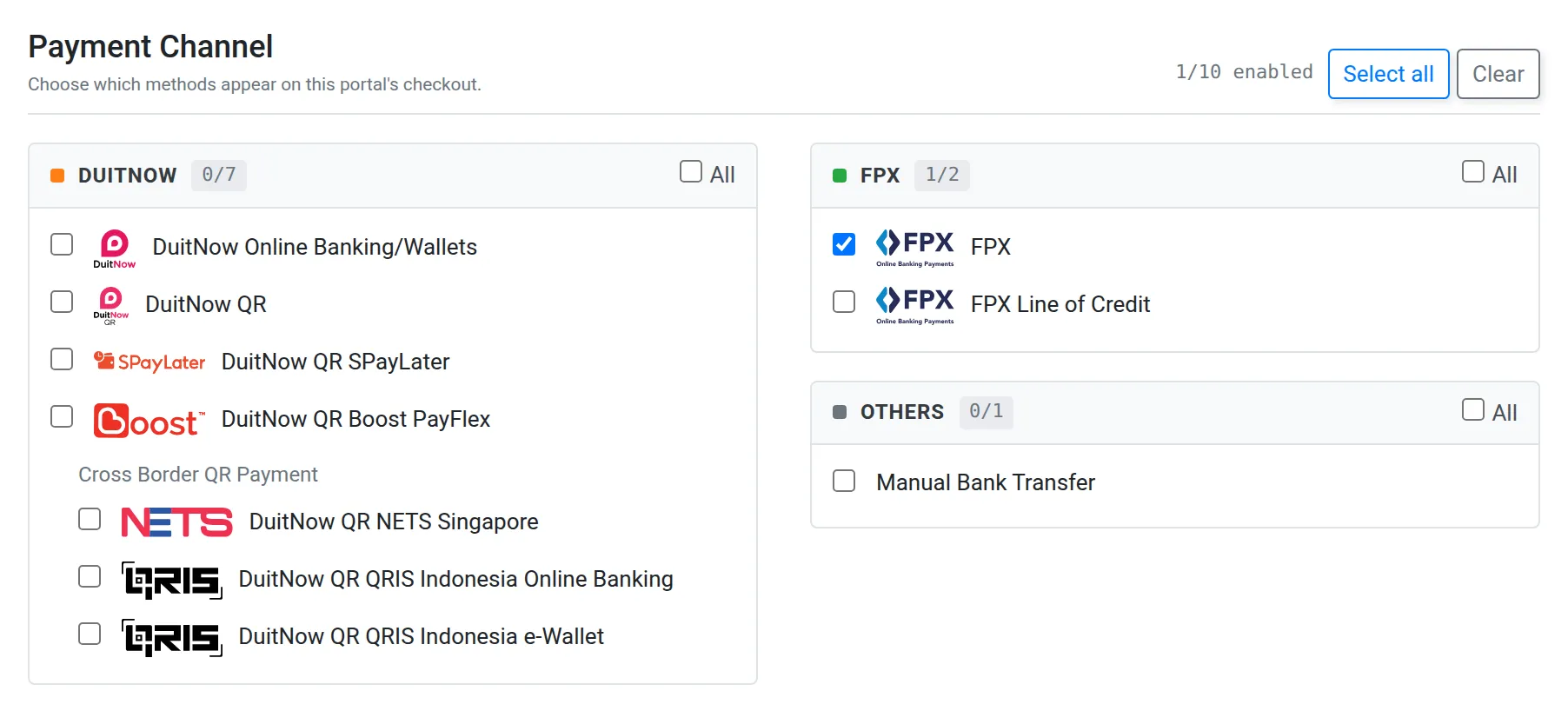
Your shop or form then offers the channels of the portal key you connect to it. See Portals and API keys.
Channels
Section titled “Channels”The ID is the number developers send as payment_channel in the API.
| ID | Channel | Use it for |
|---|---|---|
| 1 | FPX | Online banking from Malaysian banks. On by default. |
| 23 | FPX B2B | Company (business) online banking. |
| 4 | FPX Line of Credit | Paying with a bank credit facility. See FPX Line of Credit. |
| 5 | DuitNow Online Banking / Wallets (DOBW) | Real-time payment from a bank app or e-wallet. |
| 6 | DuitNow QR | Customers scan a QR code with their banking app or e-wallet. |
| 12 | Credit Card | Card payments. |
| 22 | JCB | JCB cards. |
| 16 | Touch ’n Go Wallet | Touch ’n Go eWallet. |
| 17 | Boost Wallet | Boost e-wallet. |
| 18 | Grab Wallet | Grab e-wallet. |
| 21 | ShopeePay | ShopeePay e-wallet. |
| 7 | DuitNow QR SPayLater | Buy now pay later with SPayLater. |
| 8 | DuitNow QR Boost PayFlex | Buy now pay later with Boost PayFlex. |
| 19 | GrabPL | Buy now pay later with Grab. |
| 20 | Shopback BNPL | Buy now pay later with ShopBack. |
| 9, 10, 11, 13, 14, 15 | QRIS, NETS, Alipay, WeChat Pay, PromptPay | Customers from abroad. See Cross-border channels. |
| 3 | FPX Direct Debit | Recurring collection after an e-mandate. See Direct Debit transactions. |
Manual Bank Transfer also exists as a channel: the customer transfers the money themselves to a bank account you list on the portal.
Which channels does my shop show?
Section titled “Which channels does my shop show?”Your platform can show fewer channels than your portal has. Some plugins let you turn each method on or off, or pick a channel per form. Check the plugin’s guide, for example WooCommerce, or set the channel in your API request. See the API reference.
- Use one portal per shop. It keeps each shop’s channels and payments separate for reconciliation.
- Test in sandbox first. Sandbox and live have separate portals, so switch channels on in both.
Common issues
A payment channel does not show at checkout. Why?
Only channels switched on for the portal you use will work. FPX is on by default. Ask Bayarcash to switch on the other channels, or tick them when you create a portal (see Portals), then check the portal key in your shop or form is the right one.
What does the API say when I use a channel that is not enabled?
Only channels enabled on your account will work. Use a channel ID from the table below and check it is switched on for that portal. Details are in the API reference.
Can I use Direct Debit on any portal?
Direct Debit is a separate flow with its own e-mandate steps. See Direct Debit transactions.
Was this article helpful?
Thanks for your feedback.
Sorry this didn't help. WhatsApp us and we'll sort it out with you.