

View pageas Markdown ChatGPT
 Claude
 Perplexity
 Google AI Mode
 Microsoft Copilot
 Grok
Grok Mistral Le Chat
Ask an AI about this page
ChatGPTClaudePerplexityGoogle AI ModeMicrosoft CopilotGrokMistral Le ChatReset or change your Bayarcash password
You can reset a password you forgot, or change your current password from inside the merchant dashboard. Use the email address registered with Bayarcash.
Reset a forgotten password
Section titled “Reset a forgotten password”Use this if you cannot sign in, or if it is your first time signing in. To reset:
- Go to console.bayar.cash/login.
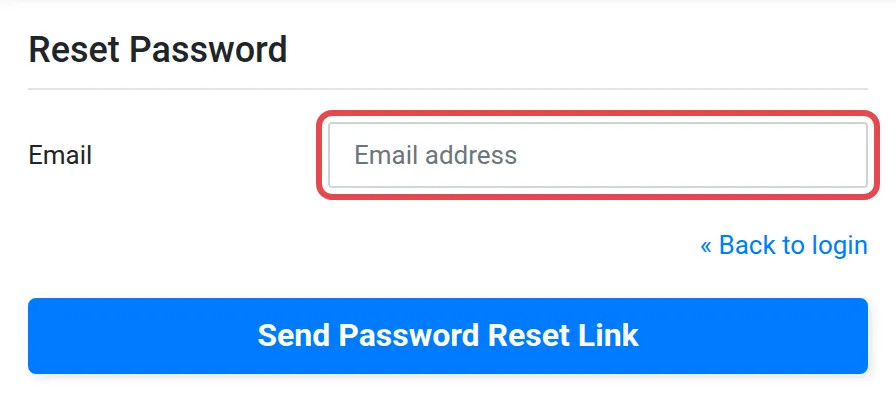
- Choose the Forgot password? link.
- Enter the email address registered with Bayarcash.
- Open the email from Bayarcash and choose the link to reset your password.
- Enter your email and your new password.
- Sign in with your email and new password. Your dashboard opens.
Change your password when signed in
Section titled “Change your password when signed in”Use this if you know your password and want a new one. To change it:
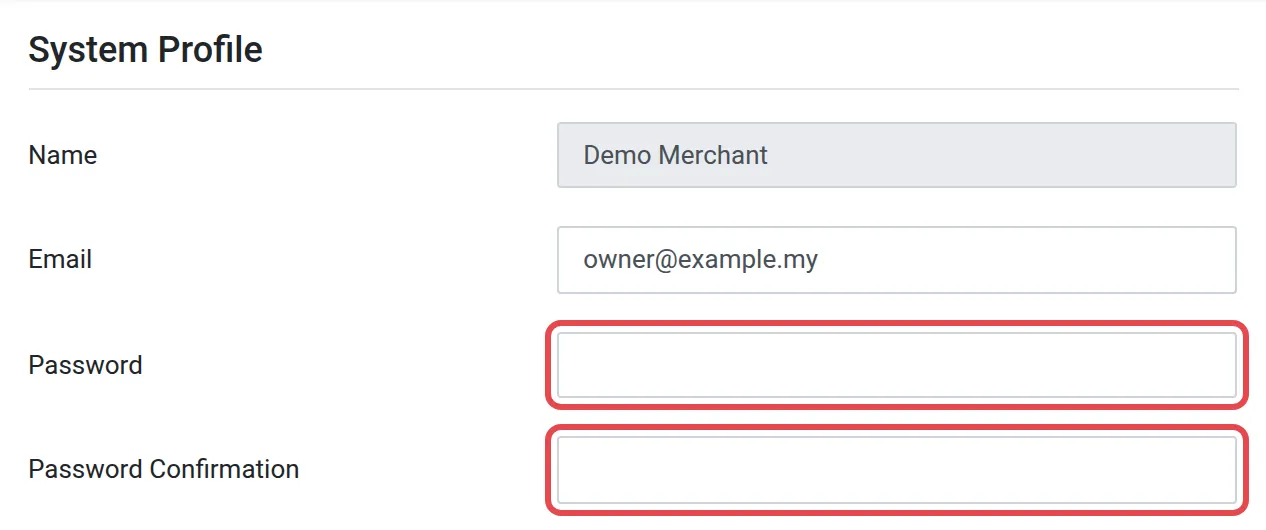
- In the merchant dashboard, choose Profile. The System Profile page opens.
- In Password, type your new password.
- In Password Confirmation, type the same password again.
- Choose Update Profile.
Common issues
I did not get the reset email.
Check your spam folder. Make sure you entered the email address registered with Bayarcash, because the reset email goes only to that address.
My new password is not accepted when I update my profile.
Type the same new password in both Password and Password Confirmation. If they differ, the update fails.
Was this article helpful?
Thanks for your feedback.
Sorry this didn't help. WhatsApp us and we'll sort it out with you.