

View pageas Markdown ChatGPT
 Claude
 Perplexity
 Google AI Mode
 Microsoft Copilot
 Grok
Grok Mistral Le Chat
Ask an AI about this page
ChatGPTClaudePerplexityGoogle AI ModeMicrosoft CopilotGrokMistral Le ChatExport your transactions to Excel
You can download all your transactions as an Excel file for accounting or reconciliation. It is done from the Transactions page in the merchant dashboard.
Export to Excel
Section titled “Export to Excel”You need to be signed in to the merchant dashboard.
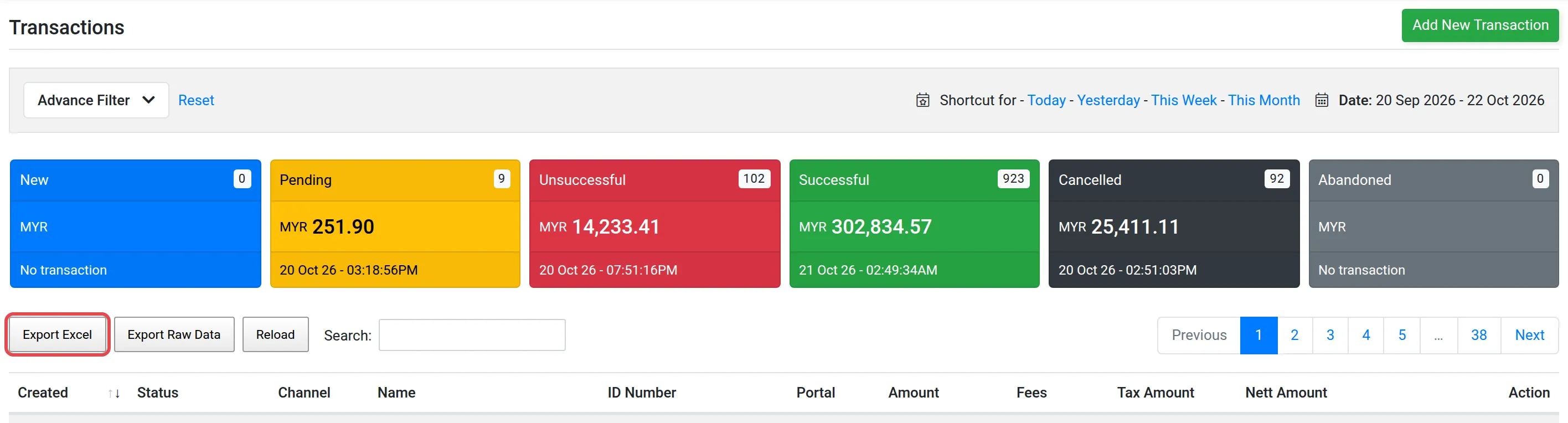
- Open Transactions.
- Click Export Excel, at the top left of the page.
- In the pop-up, type a file name.
- Confirm. The Tools page opens and shows your export.
- When the export is marked as completed, download the file.

Other exports
Section titled “Other exports”Exports for other parts of the merchant dashboard are in Export module data. To look at one payment, see Transactions.
Common issues
My export is still not ready. How long does it take?
A large export can take about 5 minutes. Wait, then check the Tools page again.
Where do I find the file after I click Export Excel?
The merchant dashboard opens the Tools page. When the export is marked as completed, download it from there.
Was this article helpful?
Thanks for your feedback.
Sorry this didn't help. WhatsApp us and we'll sort it out with you.