

 ChatGPT
 Claude
 Perplexity
 Google AI Mode
 Microsoft Copilot
 Grok
Grok Mistral Le Chat
重设或更改你的Bayarcash密码
你可以重设忘记的密码,或在商家后台(merchant dashboard)里更改目前的密码。请使用在Bayarcash注册的电邮地址。
重设忘记的密码
Section titled “重设忘记的密码”如果你无法登录,或这是你第一次登录,就用这个方法。重设步骤:
- 前往console.bayar.cash/login。
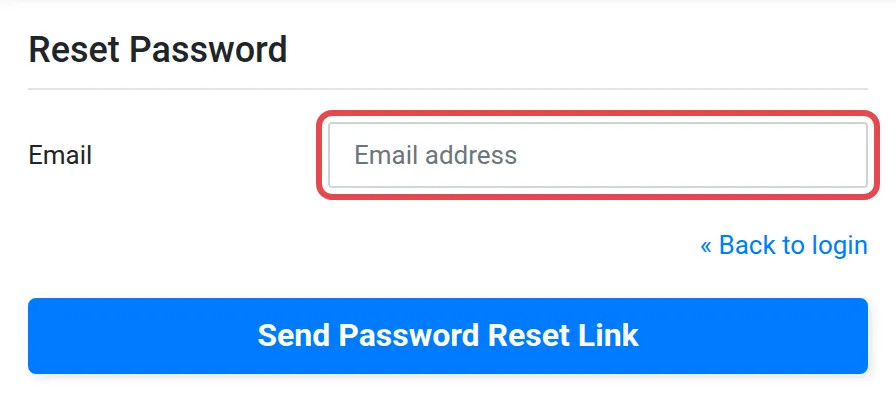
- 点击Forgot password?链接。
- 输入在Bayarcash注册的电邮地址。
- 打开Bayarcash发来的电邮,点击重设密码的链接。
- 输入你的电邮和新密码。
- 用你的电邮和新密码登录。你的商家后台会打开。
登录后更改密码
Section titled “登录后更改密码”如果你知道密码,并想换一个新密码,就用这个方法。更改步骤:
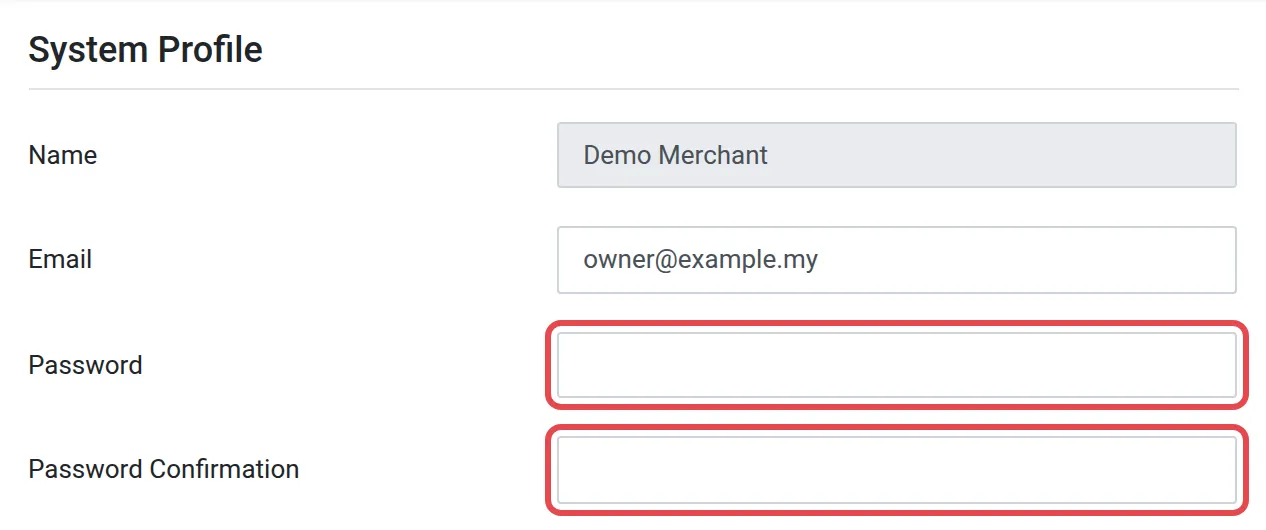
- 在商家后台点击Profile。System Profile页面会打开。
- 在Password输入新密码。
- 在Password Confirmation再输入一次相同的密码。
- 点击Update Profile。
常见问题
我没有收到重设密码的电邮。
检查你的垃圾邮件文件夹。确认你输入的是在Bayarcash注册的电邮地址,因为重设密码的电邮只会发到这个地址。
我更新个人资料时,新密码不被接受。
在Password和Password Confirmation输入相同的新密码。如果两者不同,更新会失败。