

 ChatGPT
 Claude
 Perplexity
 Google AI Mode
 Microsoft Copilot
 Grok
Grok Mistral Le Chat
Package Subscriptions页面显示你目前的配套和以前的配套。每个配套的详情显示配套期限、payout时间表和手续费详情。
打开你的订阅
Section titled “打开你的订阅”查看你的配套:
- 登录商家后台(merchant dashboard)。
- 在顶部菜单点击Profile。
- 点击Subscriptions。Package Subscriptions页面会打开。
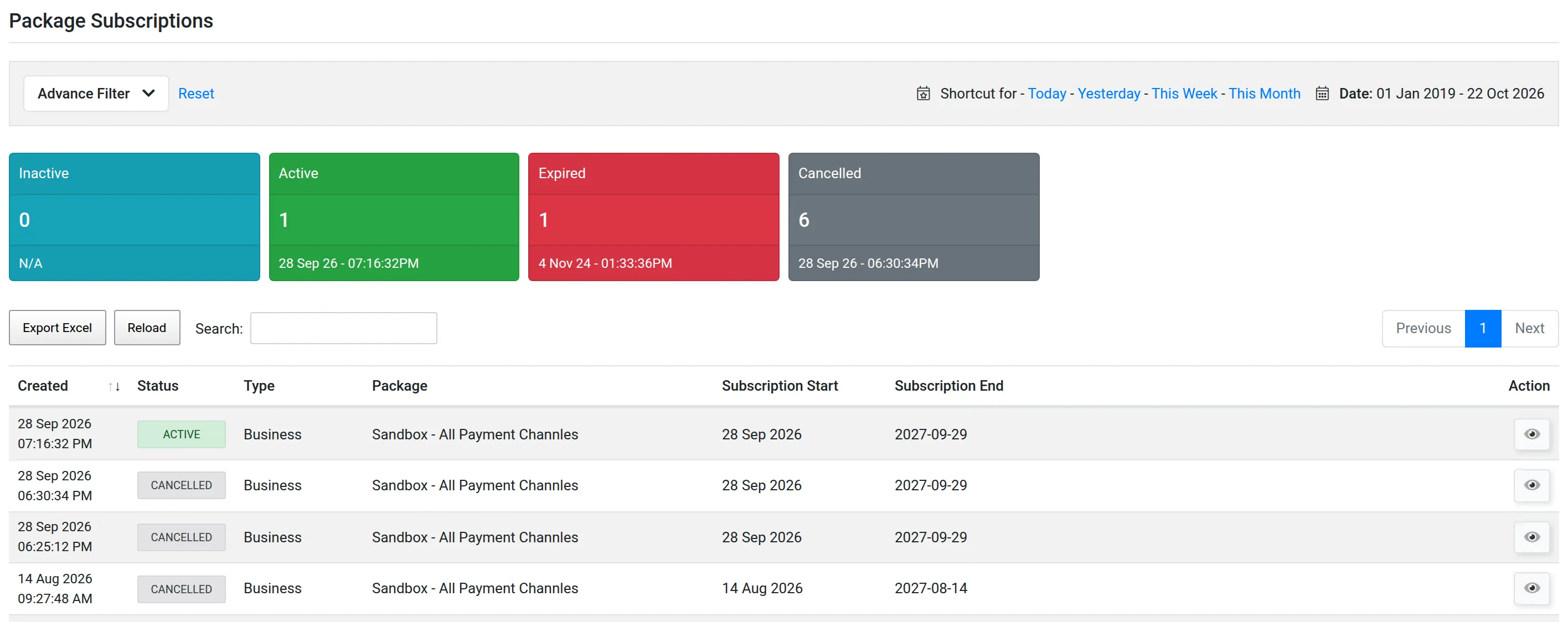
顶部的方框显示每个状态的订阅数量:Inactive、Active、Expired和Cancelled。你目前的配套状态是Active。
列表显示每个订阅的Type、Package、Subscription Start和Subscription End。
查看订阅详情
Section titled “查看订阅详情”用这个方法找出你的payout时间表和手续费。
-
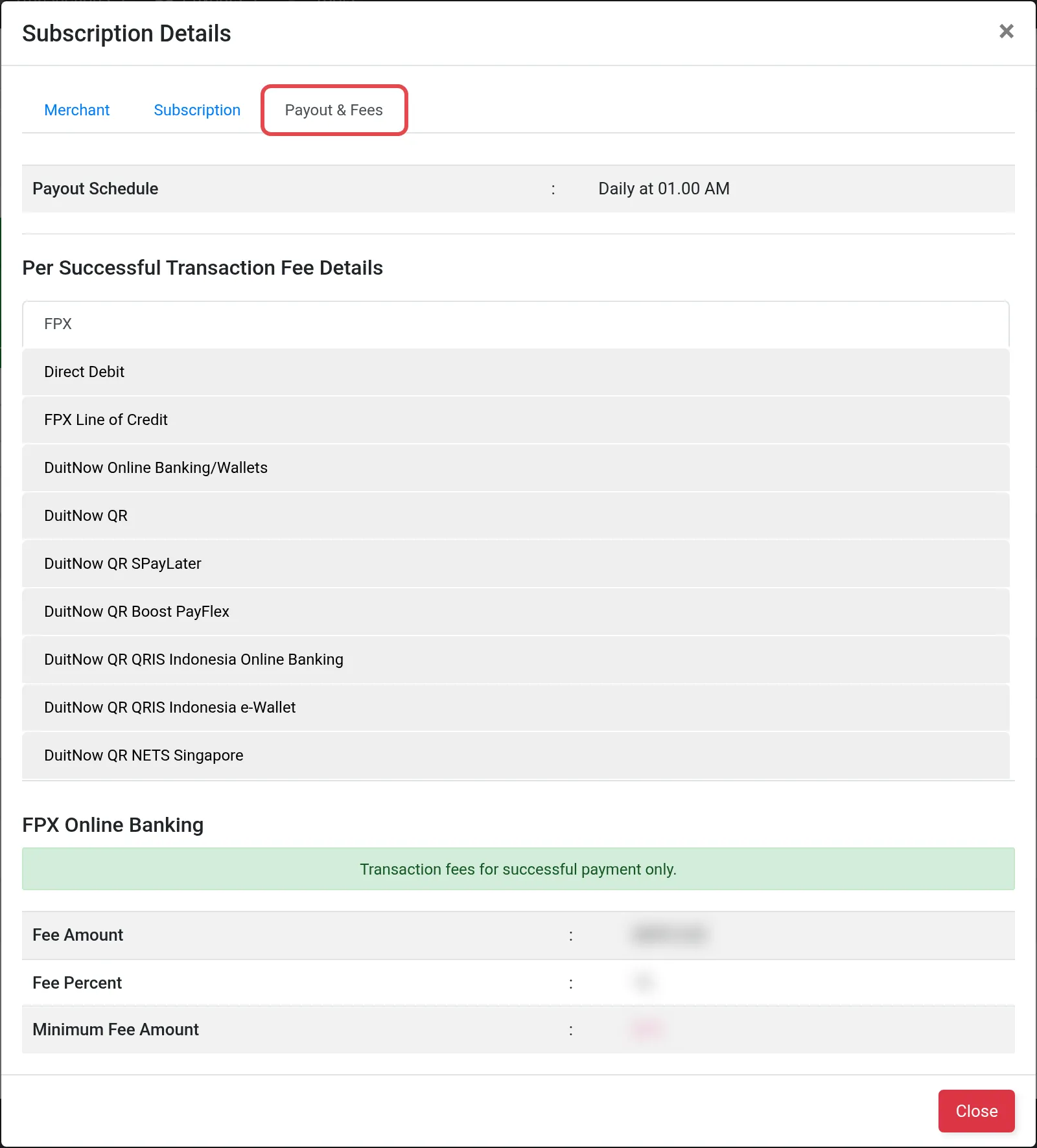
在Action列,点击View subscription details图标。Subscription Details窗口会打开。
-
查看三个标签页:
标签页 显示内容 Merchant 你的公司名称和接收payout的银行账户 Subscription Package、Subscription Period,以及Subscription Start和Subscription Expired日期 Payout & Fees Payout Schedule,以及每个付款渠道的Per Successful Transaction Fee Details -
点击Close。
常见问题
我在哪里看自己的payout时间表?
打开Profile → Subscriptions。打开Active的订阅,在Payout & Fees标签页查看Payout Schedule。
我在哪里看我账号的手续费?
在你Active订阅的Payout & Fees标签页。每个商家的手续费可能不同,所以请一定在那里查看。