

 ChatGPT
 Claude
 Perplexity
 Google AI Mode
 Microsoft Copilot
 Grok
Grok Mistral Le Chat
商家后台(merchant dashboard)有两个起始页面。Home帮助你收到第一笔付款。Dashboard显示你的付款和payout(款项转入你的银行账户)摘要。
Home打开时显示标题Welcome,以及收到第一笔付款的三个步骤。步骤下方有卡片,链接到帮助资源:
| 卡片 | 用途 |
|---|---|
| Plugin | 查找WooCommerce、GiveWP、OpenCart、PrestaShop和其他平台的插件 |
| Platform Documentation | 打开这个Help Centre |
| API Reference | 阅读API参考文档和官方SDK |
| WhatsApp Support | 通过WhatsApp获得技术协助 |
| 在Facebook发信息给Bayarcash | |
| Telegram Channel | 阅读Bayarcash的公告和最新消息 |
Dashboard
Section titled “Dashboard”用Dashboard查看你的生意在某段时间的成果。设置时间段:
- 在顶部菜单点击Dashboard。
- 设置Created Date Range,或点击Today、Yesterday、This Week或This Month。
- 点击Filter。要回到默认时间段,点击Reset。
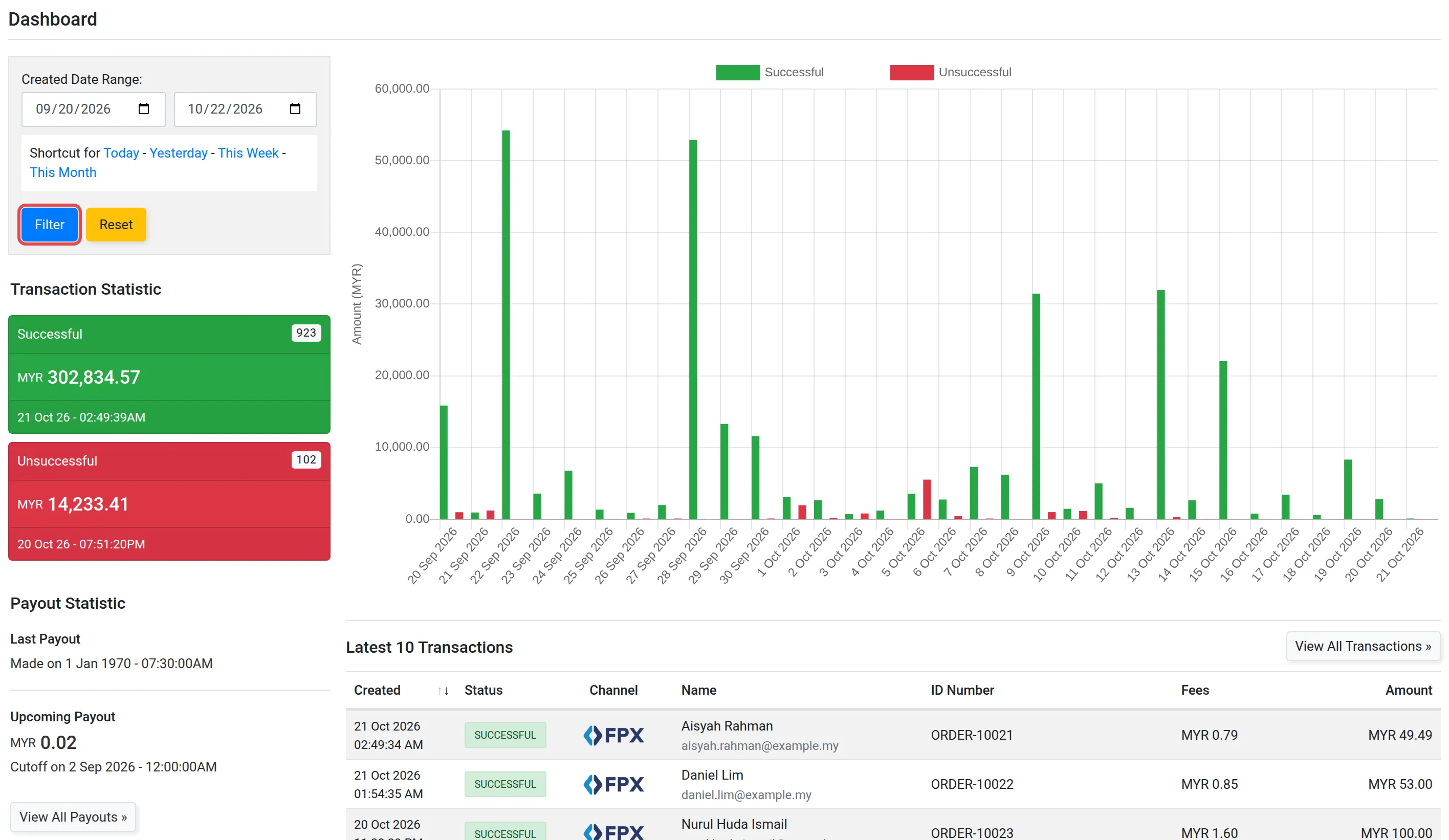
页面接着显示这些面板:
| 面板 | 显示内容 |
|---|---|
| Transaction Statistic | Successful和Unsuccessful付款的数量和总额 |
| Payout Statistic | Last Payout,以及Upcoming Payout和它的截止时间。View All Payouts »会打开payout列表 |
| Latest 10 Transactions | 你最新的10笔付款。View All Transactions »会打开完整列表 |
更多关于payout的资料,请看转入你银行账户的payout。
常见问题
我怎样只看本月的总额?
在Dashboard,点击Created Date Range旁边的This Month,然后点击Filter。
我在哪里看所有付款?
点击Latest 10 Transactions下方的View All Transactions »。请看查看交易和交易状态。