

 ChatGPT
 Claude
 Perplexity
 Google AI Mode
 Microsoft Copilot
 Grok
Grok Mistral Le Chat
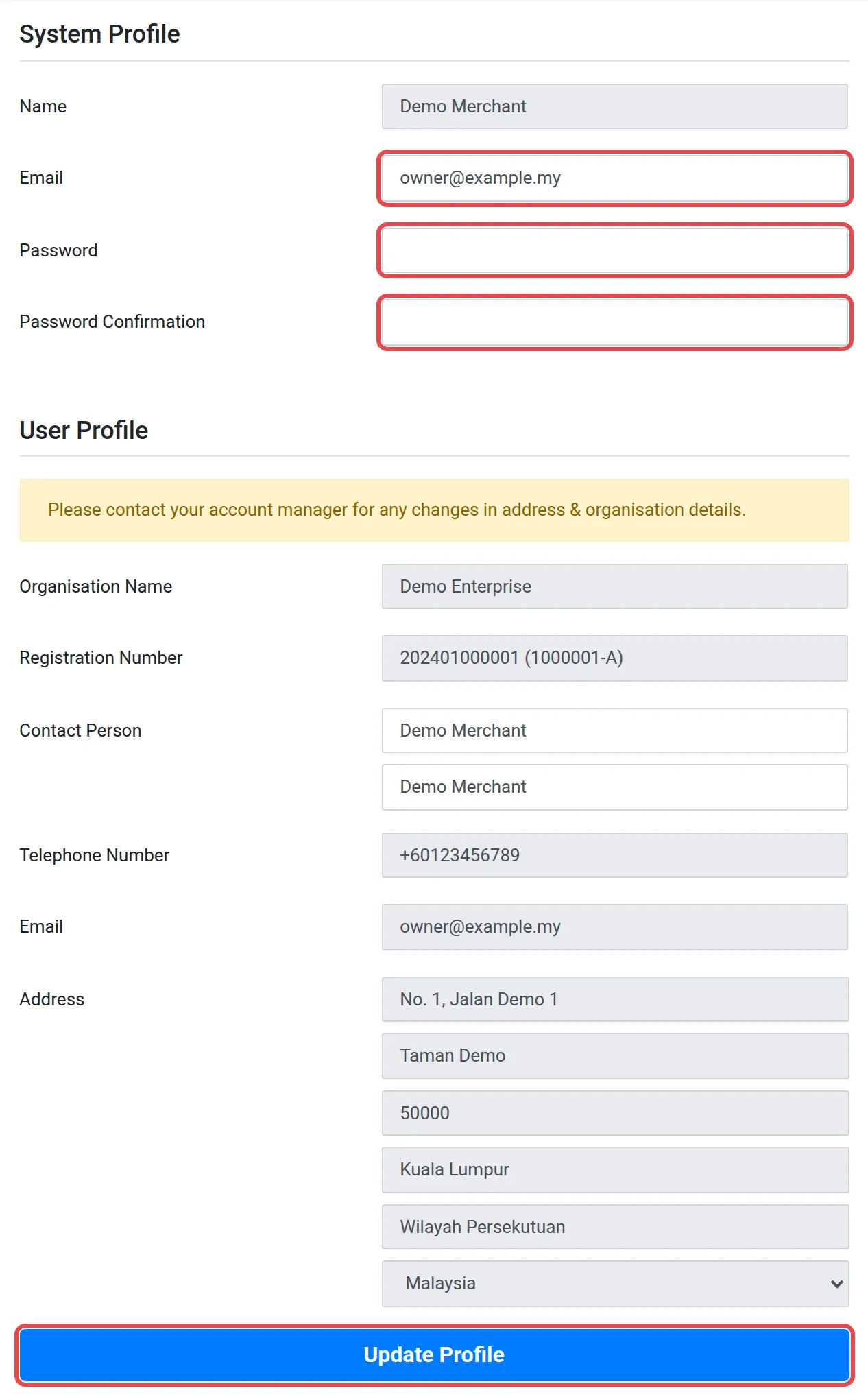
Profile页面保存你的商家后台(merchant dashboard)账号资料和机构资料。有些资料你可以自己更改,其他资料由你的客户经理更改。
更改电邮、密码或联系人
Section titled “更改电邮、密码或联系人”员工离职,或你想换新密码时,按以下步骤操作。
- 在顶部菜单点击Profile,然后再点击一次Profile。
- 在System Profile,按需要更改Email。
- 要设置新密码,在Password和Password Confirmation输入新密码。
- 在User Profile,按需要更改Contact Person。
- 点击Update Profile。
只有Bayarcash能更改的资料
Section titled “只有Bayarcash能更改的资料”User Profile部分显示你的机构资料。这些栏位是灰色的,你不能更改:
| 栏位 | 内容 |
|---|---|
| Organisation Name | 你的注册公司名称 |
| Registration Number | 你的公司注册号码 |
| Telephone Number和Email | 你的机构联系资料 |
| Address | 你的公司地址 |
页面上写着:“Please contact your account manager for any changes in address & organisation details.”System Profile里的Name也是灰色的。
要查看接收payout的银行账户,请看查看你的payout银行账户。
常见问题
我怎样更改公司地址或注册号码?
你不能在商家后台更改这些资料。请联系你的客户经理。User Profile部分也有这样说明。
我怎样更改密码?
在Profile页面,在Password和Password Confirmation输入新密码,然后点击Update Profile。